
Going Live Shouldn't Be the Hard Part: Creator Studio's New Streaming Tools
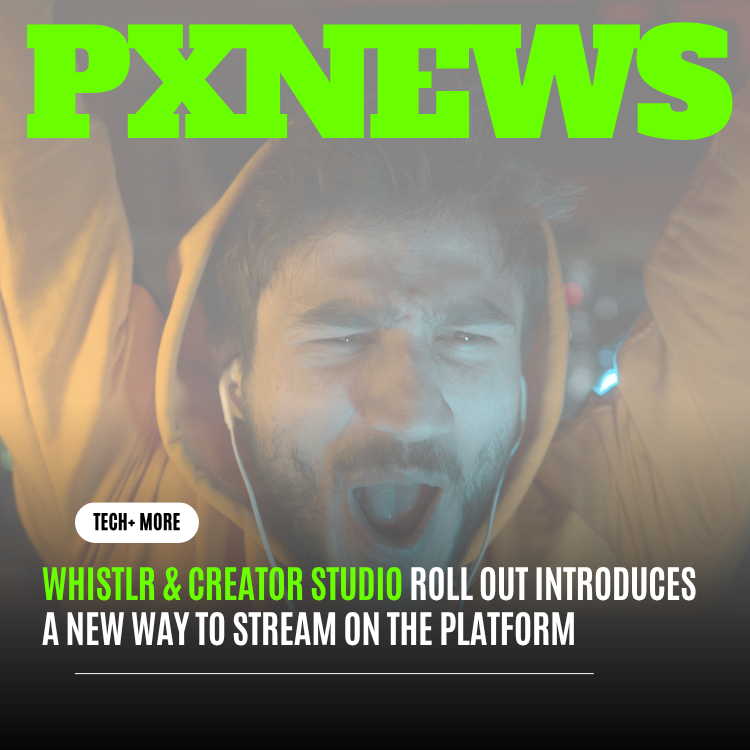
Fifteen minutes before her Tuesday night stream, a Whistlr creator named Remy used to run the same ritual: check the mic levels in one app, confirm the overlay is positioned right in another, make sure the thumbnail actually uploaded, then discover the title field reset itself and do it all again. Creator Studio's new streaming tools were built to make that ritual disappear.
None of what Remy was doing wrong, exactly. That was simply what going live required, a scattered set of small setup tasks spread across different screens, some inside Whistlr and some in separate apps entirely, none of it connected to the others. Whistlr's creator team spent early 2026 rebuilding that entire pre-stream sequence inside Creator Studio, alongside a matching set of controls for once a stream is actually live. The result is rolling out now to all streaming-eligible creators.
The Fifteen Minutes Before Going Live
Whistlr's creator research team shadowed 40 streamers through their full pre-stream routines in December 2025, timing every step from "decided to go live" to "actually live." The average setup time across that group was 14 minutes, and more strikingly, the median streamer touched five separate screens or apps to get there: a scheduling tool, an audio check, a thumbnail upload, an overlay editor, and finally the actual go-live button. Nothing in that sequence was inherently slow. What was slow was the handoff between each piece.
The team's internal term for this was "setup tax," the cumulative friction of a workflow assembled from parts that were never designed to work together. Creators consistently told researchers that the fifteen minutes before a stream was the part of streaming they enjoyed least, more than any technical difficulty during the stream itself. That finding reframed the project. Rather than treating pre-stream setup as a minor detail beneath the interesting problem of live video, Whistlr's team made it the primary focus of this release.
What's New in Creator Studio
The centerpiece of the rollout is a single pre-stream flow that replaces the scattered sequence with one continuous screen inside Creator Studio. A creator opens Creator Studio, and every setup step, scene selection, audio and video check, title and thumbnail, scheduling, and stream destination, lives in one place, in an order the team tuned specifically to match how creators actually move through setup rather than how the underlying systems happened to be organized.
- Unified pre-stream checklist: every setup step in one continuous flow, with a live status indicator showing what's ready and what still needs attention
- Scene presets: saved combinations of overlay, layout, and audio settings that a creator can apply in a single tap instead of rebuilding a setup from scratch each time
- Instant audio and video preview: a live check that runs continuously in the background of the setup flow rather than requiring a separate manual test
- Smart scheduling: stream title, thumbnail, and go-live time can be set in advance and carried automatically into the live setup flow instead of re-entered
- One-tap go live: once every step shows ready, going live is a single action rather than a final separate confirmation sequence
Scene presets turned out to matter more than the team initially expected. Streamers who go live regularly tend to reuse the same two or three configurations, a standard gameplay layout, a just-chatting layout, maybe a collaboration layout with a second guest slot. Before this release, every one of those was rebuilt by hand each time. Presets cut that down to a single tap, and beta data suggests they became the single most-used new control in the entire release.
Stream Setup, Rebuilt From the Ground Up
Beyond the unified flow itself, the underlying setup tools got a technical rebuild. Audio and video checks now run continuously rather than as a one-time test, so a creator who bumps a cable or a microphone setting mid-setup sees the problem immediately instead of discovering it only after going live. The overlay editor was rebuilt with real-time preview against actual camera and scene input, replacing a static placeholder preview that often looked meaningfully different from what a stream's audience would actually see.
Thumbnail and Title Tools
Creator Studio now generates several thumbnail crop options automatically from a creator's uploaded image or a captured frame from their camera preview, addressing a specific piece of feedback from beta testers who found manually cropping a thumbnail under time pressure to be one of the most annoying remaining steps. Titles can be drafted and saved ahead of time and attached to a scheduled stream, then edited right up until the moment a creator goes live.
Multi-Destination Setup
For creators who stream to more than one destination, the new flow lets a creator configure each destination's specific settings, title variations, category tags, once inside the same unified screen rather than switching between separate configuration panels. Whistlr's team built this specifically for creators running collaborative or co-streamed sessions, where getting every detail aligned across multiple outputs previously meant redoing similar work multiple times.
Designed With Streamers, Not Just for Them
Whistlr's creator team built the new flow alongside a working group of 25 streamers spanning gaming, music, variety, and just-chatting formats, meeting biweekly through the design and beta phases rather than collecting feedback only after something shipped. That group pushed back hard, early on, against a version of the pre-stream flow that tried to guess a creator's setup automatically using machine learning trained on past sessions. Several working-group members argued that automatic guessing would feel unpredictable in exactly the moments a creator most needs to trust their tools, right before going live in front of an audience. The team dropped the automatic-guessing approach and rebuilt around explicit, creator-controlled presets instead.
That decision shaped the rest of the release. Rather than trying to be clever about predicting what a creator wants, Creator Studio's new flow is built to be fast at doing exactly what a creator tells it to do, and transparent about what still needs attention before going live. The unified checklist's live status indicators exist specifically because working-group feedback said creators wanted to see, at a glance, exactly what was and wasn't ready, rather than trusting a system to quietly handle it in the background.
Stream Controls While You're Live
The rollout also rebuilds the control set available once a stream is already running. A persistent, low-profile control bar now surfaces the most-used live actions, inviting a co-host, muting a specific audio source, switching a scene preset, pinning a comment, without a creator needing to leave the stream view or dig through a nested settings menu mid-broadcast.
"The setup work and the live work used to feel like two different products built by two different teams, because for a long time, they basically were. This release is the first time someone can move from planning a stream to running one without the tools underneath them changing shape halfway through."
Sasha Lindqvist, Engineering Lead
Real-time viewer and engagement data now surfaces as an optional overlay a creator can glance at without switching away from their main view, showing concurrent viewers, new followers during the stream, and comment volume. The team deliberately kept this minimal, a small persistent readout rather than a full dashboard, after beta feedback indicated that anything heavier pulled attention away from actually running the stream.
Moderation controls got a similar treatment. A streamer or their designated moderators can now time out or remove a commenter, pin an important message, or slow chat down, all from the same persistent control bar rather than a separate moderation panel that required leaving the main stream view. For creators who stream without a dedicated moderator, a set of adjustable auto-filters can hold flagged messages for a quick approve-or-remove decision instead of publishing them immediately, giving solo streamers a lighter version of the coverage a full moderation team would otherwise provide.
What the Beta Showed
Creator Studio's new streaming tools ran in closed beta with 210 creators from January through March 2026. Average pre-stream setup time dropped from the 14-minute baseline to just under 5 minutes, a 64 percent reduction, with creators using scene presets seeing the largest individual gains. Stream cancellations during setup, streams a creator started preparing for but abandoned before going live, dropped by 37 percent, which the team reads as a direct signal that setup friction itself was previously causing some streams to simply not happen.
Beta creators also went live an average of 22 percent more often per week than their pre-beta baseline, a change the team is cautious about over-crediting entirely to the new tools, since beta participation itself likely selected for more engaged creators. Even accounting for that, the team considers the frequency increase, paired with the sharp drop in setup time and abandoned streams, a strong early signal that reducing setup tax translates directly into more live content actually reaching audiences.
Rolling Out Now
The new pre-stream flow and live control bar are live in Creator Studio for all streaming-eligible creators as of this release, with scene presets and multi-destination setup available immediately and thumbnail auto-cropping following in a smaller update over the next few weeks. Existing scheduled streams and saved settings carry over automatically, so creators don't need to rebuild anything to start using the new flow.
The team's next focus is collaborative setup, letting two or more creators prep a joint stream from their own devices simultaneously rather than one person configuring everything and inviting others in after the fact, a request that came up constantly in creator interviews around co-streamed content. Nothing about that work is finalized yet, but the underlying philosophy carries forward unchanged: the fifteen minutes before a stream should feel like getting ready, not like fighting the tools meant to help.