
Your Profile Was Never Supposed to Be One-Size-Fits-All
A profile built for everyone ends up speaking to no one in particular. Whistlr's new profile views let a single account show a different, deliberate face to each audience that finds it.
The problem this solves is one most people on any social platform have felt without necessarily naming it: the same profile has to serve close friends, professional contacts, a community built around one specific interest, and total strangers who land on the page from a shared link — all with one bio, one pinned post, one layout, no matter who's actually looking at it.
Profile customization is not a new idea in social apps. What's different here is the premise: instead of customizing one profile to try to average out every audience at once, Whistlr lets an account hold several honest, purpose-built versions of itself, each one aimed at a specific audience rather than all of them simultaneously.
The Problem With One Profile
Traditional profile design assumes an audience is one thing. In practice, it almost never is. A user might run a small woodworking page inside a niche community, post personal updates for close friends, and occasionally show up in a professional context where neither of those things is particularly relevant. Forced to pick one presentation, most people either flatten themselves into something generic enough to work for everyone, or quietly avoid posting certain things at all rather than have them sit next to content meant for a completely different audience entirely.
Whistlr's product team started tracking this pattern through support tickets and user interviews well before building a fix for it — a recurring request to run "a separate account for X," which is really a request for audience control the platform wasn't offering any other way to get. Multi-account management, which Whistlr already supported, solved part of this for people willing to manage entirely separate logins and rebuild a following from scratch on each one. Profile views were built for the much larger group of people who wanted audience separation without that overhead.
How Profile Views Work
Profile views let a user build multiple curated versions of their profile from one account, rather than maintaining separate logins. Each view can have its own pinned posts, its own bio, and its own visible content filtered by tag, community, or manual selection — while still running on the same underlying account, follower graph, and content library underneath it all.
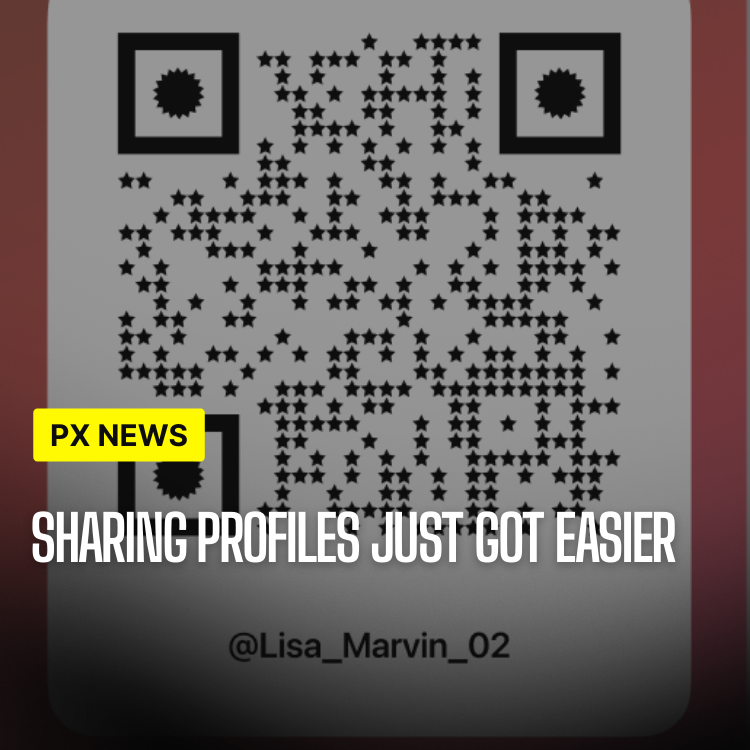
A share link determines which view a visitor sees. Sharing a link tied to a "community" view shows pinned posts and a bio relevant to that specific interest; sharing the default profile link shows the general version instead. The account owner controls how many views exist and what each one contains, and can update them independently without one view's changes affecting any of the others.
Content itself isn't duplicated across views — a single post can appear in multiple views, a single view, or the default profile only, based on how the creator tags or assigns it at the time of posting. That keeps the system from turning into a second full-time content pipeline; existing posting habits mostly carry over, with view assignment as one additional lightweight step rather than a separate workflow to maintain.
Switching between views while browsing your own profile is deliberately fast — a single tap cycles through whichever views an account has set up, letting someone check exactly what a given audience would see before sharing that view's link anywhere. That preview step came directly out of early testing, once it became clear people wanted to double-check a view before sending it out, the same way anyone previews a document before sharing it more broadly.
Privacy and Audience Controls
Because profile views are fundamentally about controlling who sees what, privacy settings were built directly into the feature rather than bolted on afterward:
- Per-view visibility — set each view to public, followers-only, or link-only, independent of the account's overall privacy setting.
- Selective content assignment — assign posts to one, several, or all views at the time of posting, or reassign them later from profile settings.
- Default view control — choose which view appears when someone finds the profile without a specific share link, such as through search or a tagged mention.
- View-level blocking — block or restrict specific accounts from a particular view without affecting their access to the rest of the profile.
All of this sits on top of Whistlr's existing account-level privacy settings rather than replacing them — a fully private account still controls who can find and follow it in the first place. Profile views add a second, more granular layer on top of that baseline for people who are already comfortable being found, but want a say in exactly what's shown once someone gets there.
"Identity online was never supposed to be all-or-nothing. You already act differently around different people offline, and nobody thinks that's dishonest. We just finally built a profile that works the same way."
Renata Silva, Lead Product Designer, Identity & Profiles
Who This Is Actually For
In early testing, three use cases came up repeatedly. Creators running a niche content account used views to separate that content from personal posts without operating a second account and rebuilding a following from zero. People balancing a public-facing hobby — a band, a small business, a fandom community — with a private personal life used views to keep the two from bleeding into each other on the same page. And several users simply used it to present a cleaner, more curated view to people arriving from an off-platform link, like a resume or a business card, without changing what close friends and regular followers see day to day.
None of those are edge cases. They are close to the default way most people already think about their own online presence — just without a tool built for it until now.
A handful of beta testers combined all three patterns on a single account — a public creator view, a private friends-only view, and a professional view shared only through a resume link — which was itself a useful stress test for the feature. If the system held up cleanly for someone juggling three different audiences at once on one account, it was a good sign it would hold up for the far more common case of someone managing just two.
Available Now
Profile views are rolling out to all users this week, starting with support for up to three views per account, with the option to request additional views for creator and business accounts that need more granular segmentation. Setup takes a few minutes from the profile settings menu, and existing profiles convert automatically into a single default view, so nothing changes for anyone who doesn't choose to build additional ones.
This is a first version, not a finished one. The team is already looking at view-level analytics — letting someone see how each version of their profile performs on its own — as a likely next step, once enough accounts are actively using multiple views to make that data meaningful.
The bigger shift is less about any individual setting and more about what it says the profile is for going forward: not a single fixed identity a platform hands you, but a small set of honest, deliberate ones a user gets to shape for themselves.